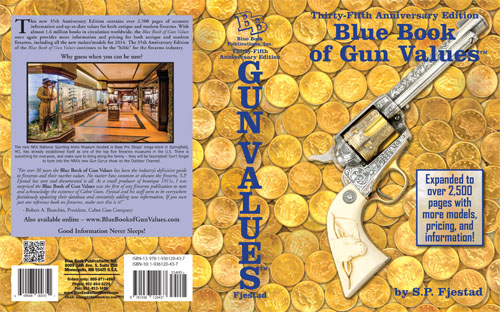
 One of the many things I do with my skills is to take different elements and combine them together to make one image, or in this case a cover. It all starts with an idea and I expand from that. This one was a simple one once you break it all apart.
First I was given an image of a firearm that the author wanted on the cover.
 In order to get that image ready for a cover I need to remove the background. One of my tricks is to zoom in so I can start seeing the pixels. I like to make a copy of the image into another layer and put a bright red color layer under the layer I will be clipping out.
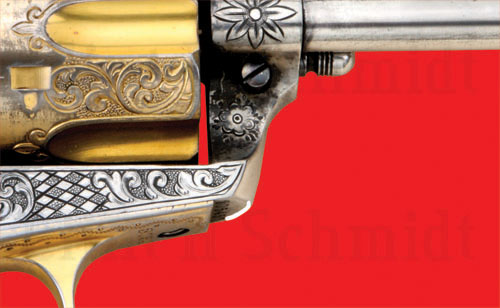 Sometimes a mistake will happen, so I will just use another color to paint in the area that was clipped out or needs to be smoothed out. So I will the eraser tool in Photoshop to closely clip out the image I want. I never use the magic wand tool to select the background image. That tool is not very reliable and can remove more of the image you want.
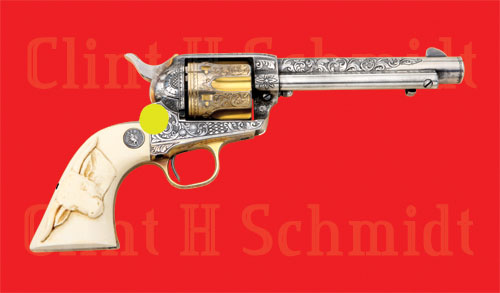
So once you have your imaged clipped out. I quickly just remove the rest of the background and then I’ll have single firearm image on a bright red background.
 I’m not done just yet. The image is now floating on a layer with what it looks like a red background, but there is no background for the image. The red is just used to help separate the image from the background. I could use any color, but red seems to work the best. After the image has been removed from the background I do some Photoshop magic to get the image cleanly removed with some soft feathering to help move the image to a different background.
I don’t use that image I clipped out, because it might have added colors or other things I don’t want. I use the original image that will still be at the bottom of the layer palette. So the image will nicely move to any background I want!

 With this cover everything was a separate element. I shot the coins three different ways. I did a single line, one pile with some falling off and another pile curving in a different direction. The main background was just 4 rows of coins shot together and clipped out.
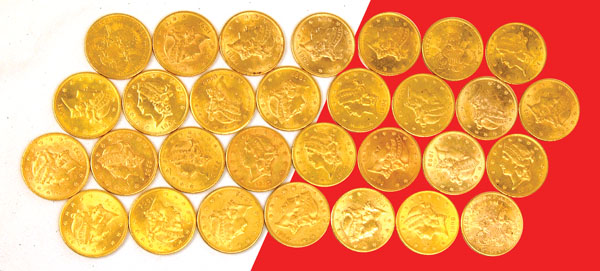 Once the coins were ready, I just did one layer in the original color. Then I copied that layer, darken it, and moved it around. I repeated that steps a few more times to give that feel of a huge layer coins were under the gun. As you can see there really is only 30 coins used and just repeated over and over to make it look like there was more. So that’s just one of the joys of Photoshop, taking a few things to make it look like there is so much more!
 Clint H. Schmidt